Start where you watch.
Play supported media and open the browser popup. Choose the detected video or quality, then send it to Ekami.
YOUR MEDIA. YOUR LITTLE CORNER.
From the video you’re watching to a library you can call your own. Save supported videos and files, follow the download, and find them again. All on your computer.
Mac + Chromium companion · Windows desktop preview
LESS HUNTING. MORE KEEPING.
Keep the useful tutorial, your own upload, or the file you need later. Ekami connects the browser to a local desktop queue and a searchable saved library.
Play supported media and open the browser popup. Choose the detected video or quality, then send it to Ekami.
Follow progress, pause a job, or come back with a fresh link when a source needs your attention.
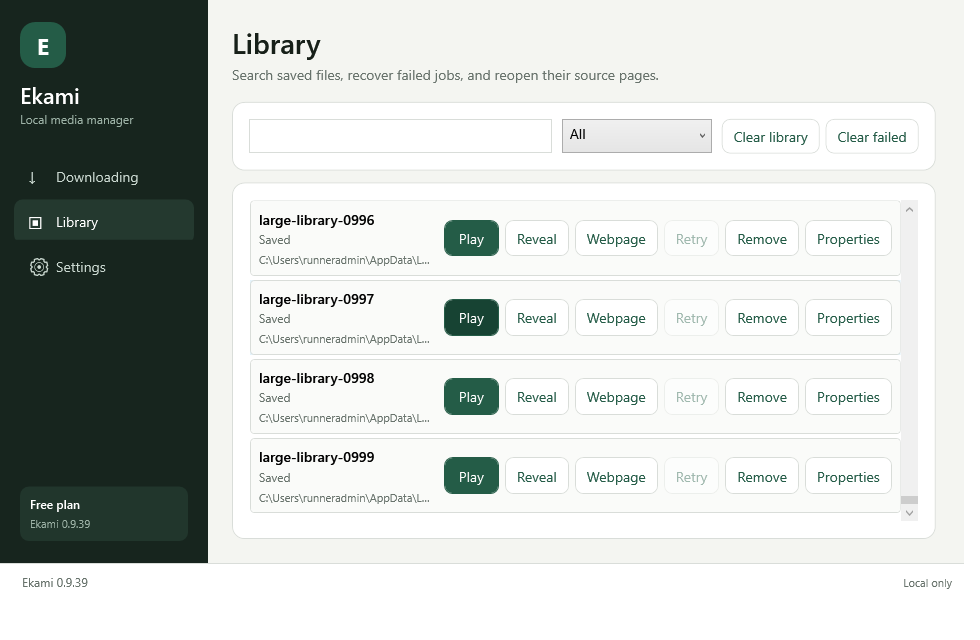
Search saved items, inspect properties, play your files and reveal them in their folder.
A DESKTOP APP, WITH BOUNDARIES
Downloads and media processing run on your computer. Browser credentials stay in the local capture path. Your account handles licenses and support.
Read our privacy approach ↗Your browser.
Your computer.
Your collection.
A LOOK INSIDE
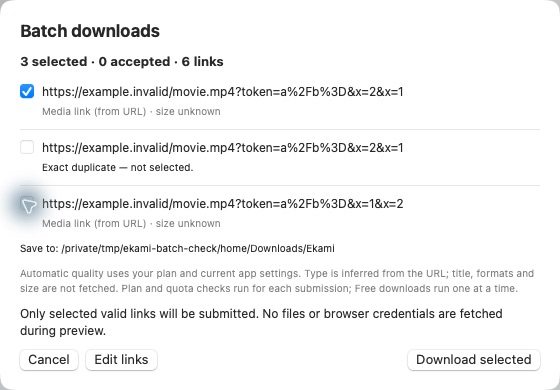
Ekami’s desktop tools include a queue, library and recovery guidance. These actual interface captures use synthetic test data; the public app download is still being prepared.
Mac and Windows public downloads are being prepared. Explore current capabilities.
Start with Free when the public download is ready.
View download status ↗